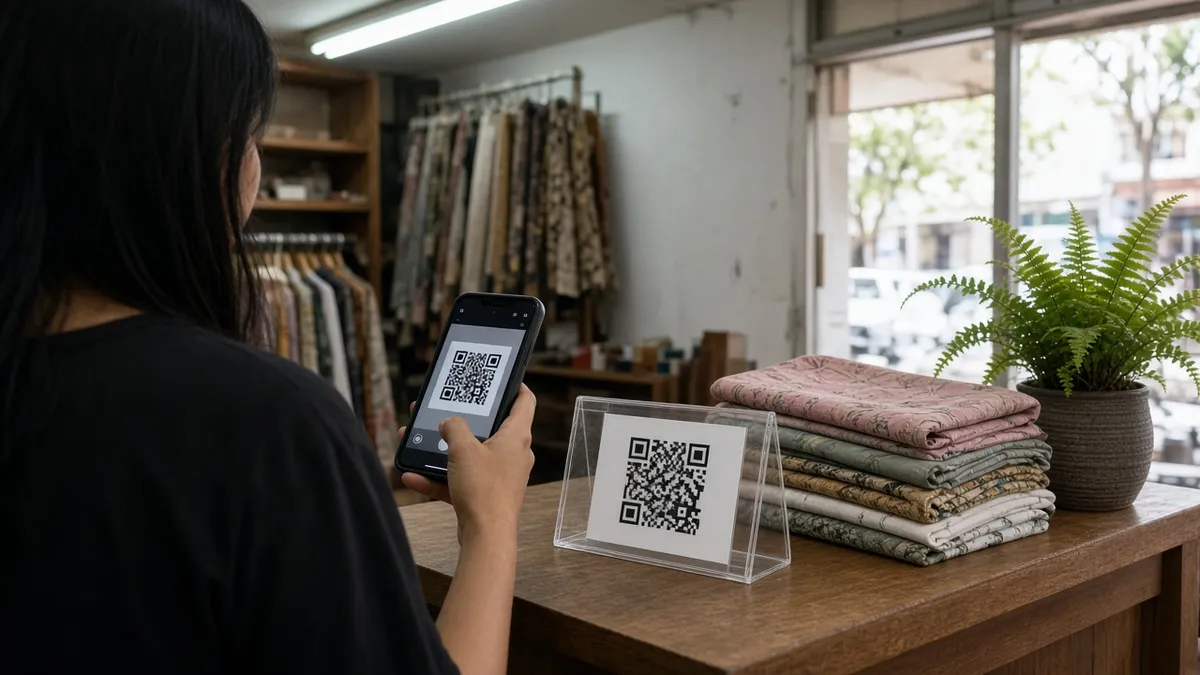
The counter is a campaign placement
Malaysian shoppers already scan for menus, parking, and payment. A code on your door, table, or product card can do the same job for your own page, if the page is obvious on a phone in a bright shop. The mistake is sending that scan to a desktop homepage, a PDF that will not pinch-zoom, or a link-in-bio full of old campaigns.
This guide is the in-store companion to WhatsApp marketing for Malaysian small businesses. Use both when the poster and the Instagram bio should start the same action.
Pick one action for the code
One code, one job. Good jobs for a Malaysian shop:
- Open today’s menu with prices
- Start a WhatsApp booking
- Show hours, parking, and how to find the unit
- Open the current package, not the whole catalogue
A kopitiam menu and a year-end package should not share one unlabeled code. If you need both, use two labeled codes: “Scan for menu” and “Scan for the package”. Design and size rules are in QR codes for marketing.
Before a print run, read the code with the QR code reader and from the phone camera at the counter, under your real lights. Glossy lamination at a mall café often fails even when the file looked fine on a laptop.
What the page after the scan should contain
Assume the person is standing, not researching. The first screen needs:
- The shop name and area, such as “MyTown Cheras” or “Melaka Raya”, so they know the code matched the shop.
- The offer named on the sign, with the price or the “from” price.
- One button: WhatsApp, call, or the menu.
- Hours, including the closed day and public-holiday note.
- A map link you have opened yourself.
That page can be a short bio page. Keep the current offer first and older links below it. The comparison in bio pages vs link-in-bio apps still applies: three to seven links, not a wall of buttons.
If you already have a location page that ranks, link to it instead of rewriting the address in five places. Stable URLs are how repeat scans and search traffic stay on the same page.
Bahasa Malaysia, English, and prices
Write the button in the language on the sign. If the poster says “Imbas untuk menu”, the page heading should not switch to a different offer in English only. A short bilingual line is enough: the dish or service name, then the price in ringgit.
Show the price people will actually pay at the counter. If a service charge or a holiday set menu changes the figure, say so on the page. A scan that hides the price pushes the question into WhatsApp and slows the queue.
Update the page when the menu changes. The printed code can stay the same if the URL stays the same. That is the main reason to use your own page instead of a one-off file link.
Tell the placements apart
Use the same landing page for the door, the table tent, and the Instagram bio, with a different UTM on each code or profile link. Then you can see whether the counter or the social profile started the visit.
A simple set for one shop:
- utm_source=qr and utm_medium=counter for the cashier card
- utm_source=qr and utm_medium=table for the tent card
- utm_source=instagram and utm_medium=bio for the profile
- utm_campaign set to the month or the offer, such as raya-2026 or weekend-brunch
Follow UTM parameters explained so the names stay lowercase and consistent. Generate the URLs with the UTM link generator before you export the QR image. Changing the link after printing means a new code.
Check the page the way a customer will see it
Run this before the printer or the sign maker starts:
- Open the URL on a mid-range phone using mobile data, not shop Wi-Fi only.
- Confirm the redirect chain with the URL redirect checker. One hop is enough.
- Check the share title and image with the meta tags checker, in case someone forwards the link in WhatsApp.
- Tap WhatsApp or call. The prefilled message should name the offer.
- Read the code from the proof, not only from the screen file.
The full list is in check your links before you publish. For the chat script itself, use WhatsApp marketing for Malaysian small businesses.
After the sign is up
Once a month, scan the live sign yourself. Confirm the offer, the hours, and the map pin. Replace a faded code rather than telling staff to “just explain it”. If the campaign ended, change the page to the current offer and leave a line that the old package has finished. People photograph signs and scan them weeks later.
Keep the URL. Change the page. That is the whole operating habit.